Figma has acquired Weavy: we take a deeper look

In this post, we take a closer look at the acquisition of Weavy by Figma. On the Weavy website, Weavy describes itself as “artistic intelligence” and a way to “turn your creartive vision into scalable workflows”
The home page graphic pretty much describes it: a 3d model generated using an AI model is put together with an image color reference using an image generation model. Then, a generated image of a blue-eyd raven is addd - both assets are brought together via a text prompt using a video model.
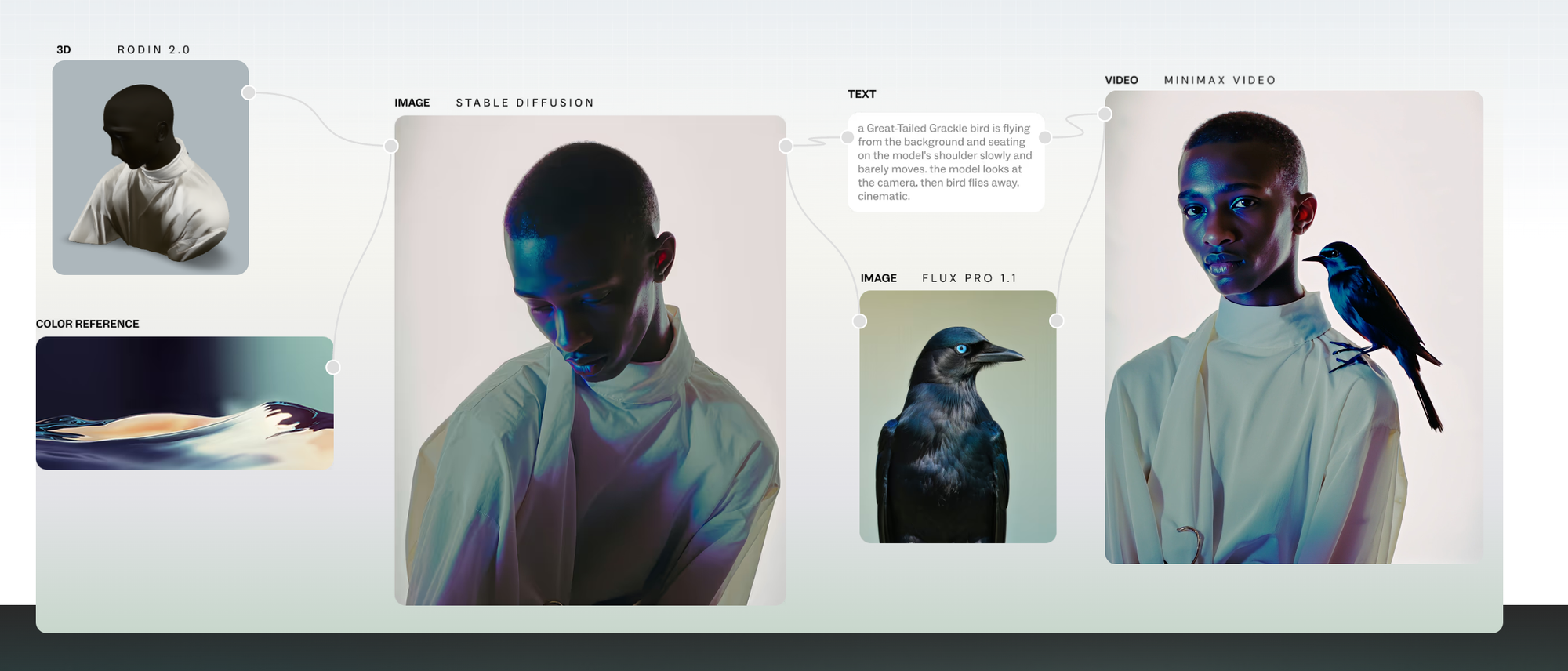
Weavy is just 11 months old. The company was founded by four founders coming from creative jobs. For example one of the founders is an animator, another founder a VFX artist. It's a node-based design tool where you connect inputs and outputs on a canvas to create visual assets.
In this blog post, Ben Blumenrose, investor in the product notes its advantages:
- It is modal agnostic - i.e. it can use any model as it is released
- It exposes process - it shows how you get to a creative asset
- It works as an aggregator - you don't have to bounce around tools
Giving Weavy a go
We tried out the current version of Weavy to see what the fuzz is about.
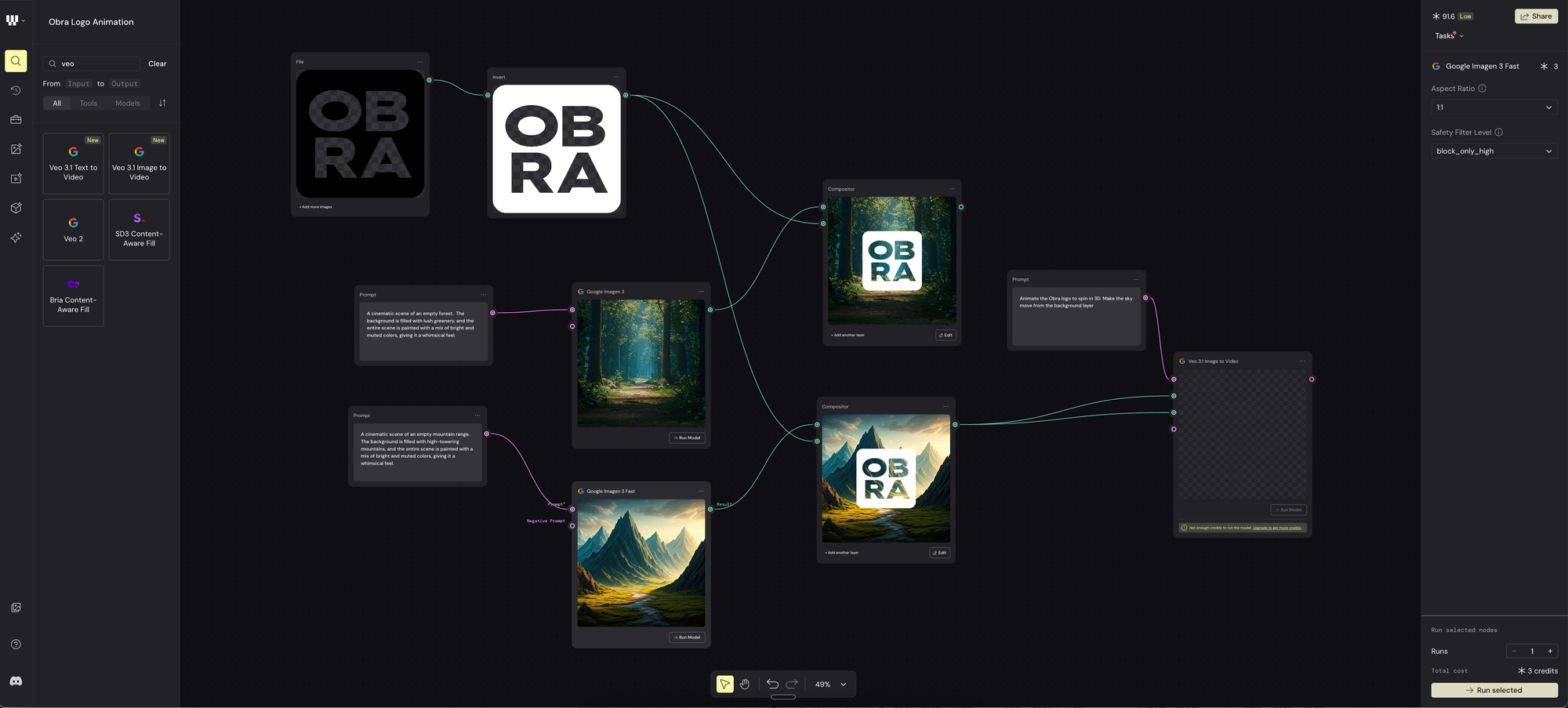
I uploaded a PNG version of the Obra Studio logo, used an invert filter, and composited onto two backgrounds generated by Google Imagen 3.
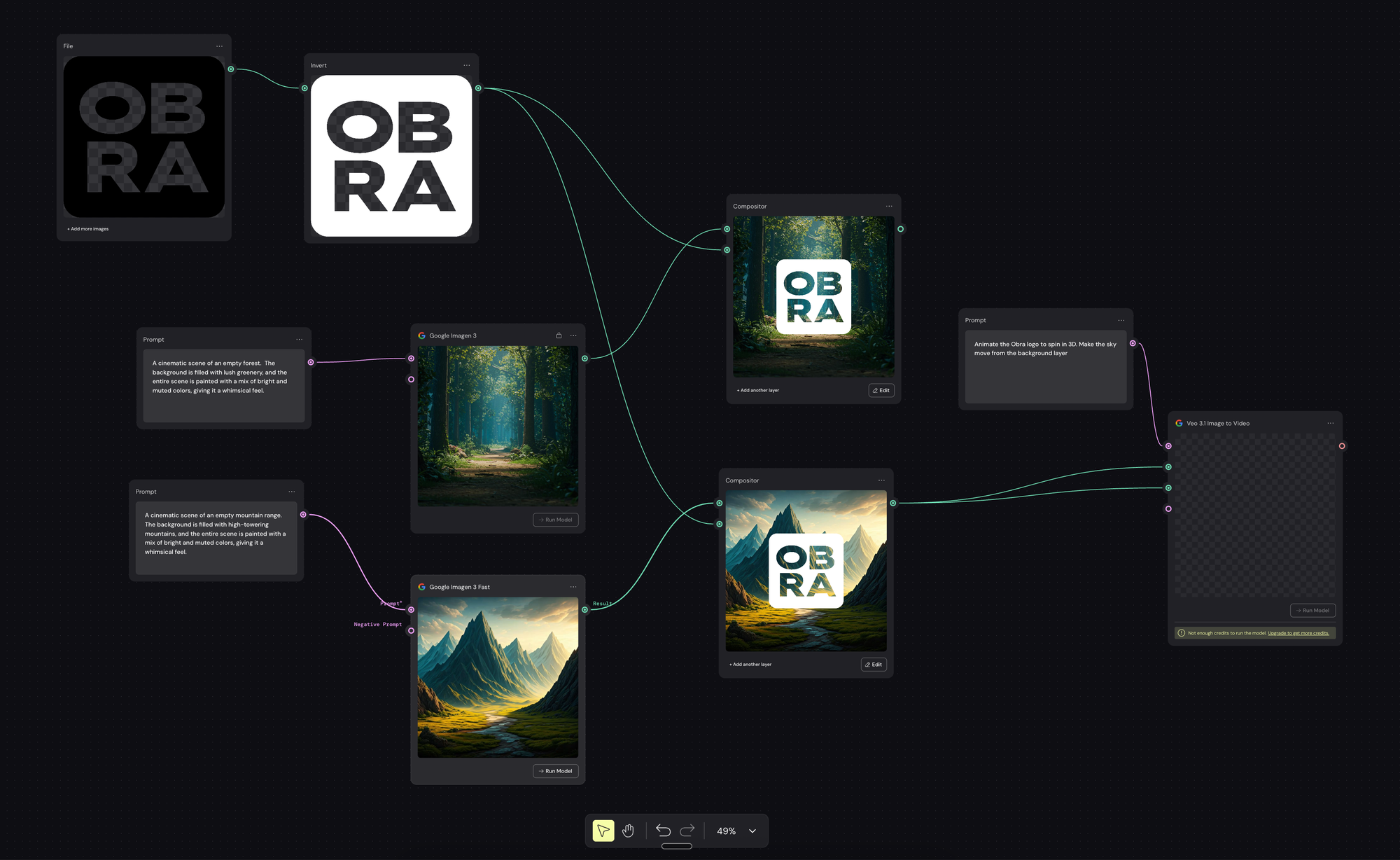
What you don't see is the experimentation where we generated the same image with different models and settled on Google's.
We tried to make a 3D model from the bitmap, but that didn't work out.
When we try to make a video from the composition, we run out of credits.
The usability of the app seems great, but for our type of work, I don't really see a use case.
AI is non-deterministic, and this has an implication for these types of apps
A prompt and its results is non-deterministic by default. What this means is that the result won't always be the same if you give Google Imagen 3 a prompt (like the background prompts we made you). You will always get a different result.
My observation is that it will be very important in these types of apps to be able to lock down creative results.
When I download an asset, I get a low quality 207kb jpg. I can run an image upscaler model, which increases the resolution, but also introduces lots of artifacts.
My theory is that probably some of the best results will be gotten by mixing real-life creative output (i.e. real photographs) with AI output.
Adobe has an app like this too
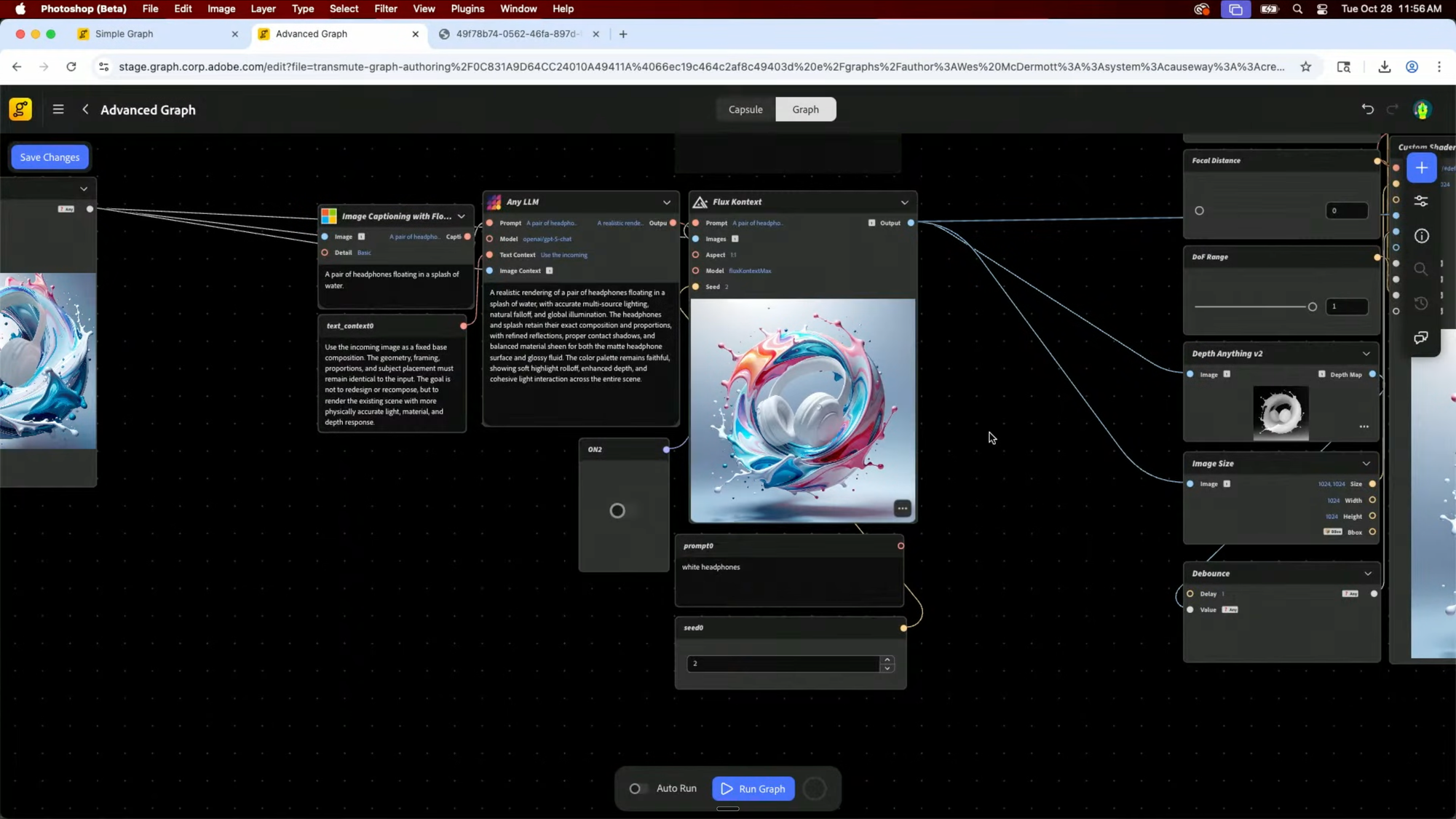
I was surprised to see two node-based apps appear around the same time: last week at Adobe Max, Adobe shared a similar app called Project Graph. Here's the link to the exact point in the Keynote the demo starts.